Ryan Stewart — August 5, 2019
 — August 5, 2019
Snapchat is the fastest growing social network. EVER.
On top of that, it’s the most engaged – users snap over 400 million times a day. If your audience isn’t using it now, they will be very soon.
Right now, marketers are struggling to build a presence on Snapchat, for a number of reasons:
- Snapchat is 100% mobile and closed off. Snaps aren’t indexed by the web, you can only access them within the mobile app.
- It’s the first non-evergreen network. People can’t discover past content and follow you. In other words, you’re only as good as your latest snap.
- Snapchat ad buys are crazy expensive. Last time I checked there was a minimum buy of $ 750,000 to advertise there.
Most are relying on promoting to followers on other networks. Unless you’ve built a massive following on other networks, this isn’t going to get you very far.
You need to expose your account to a new audience.
I’ve been promoting my Snapchat account with Instagram and Facebook ads and have seen a steady, low cost growth in followers:
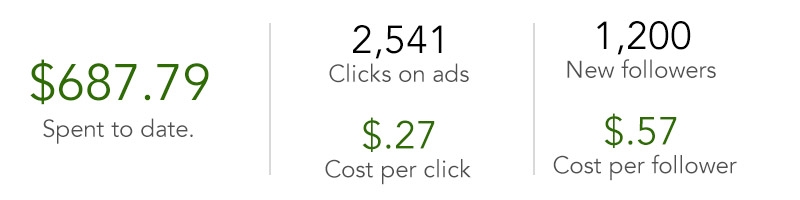
In this article I’m going to show you exactly how I’m using Facebook and Instagram ads to grow my account.
1. Get your “add me on Snapchat” URL
This URL is a deep link to the Snapchat app to follow your profile.
You can get yours by adding your username to the end of this URL:
- https://www.snapchat.com/add/YOURUSERNAME
- For example, mine is https://www.snapchat.com/add/ryanstewart40
Once setup, this link will redirect to the Snapchat app and allow people to follow you. It only works on mobile, so don’t waste time promoting it on desktop.

Expert tip: Please, STOP asking people to screenshot your Snap code to add you as a friend. Use this link instead!
2. Create a “clicks to website” campaign
Navigate to your Facebook Ad account and select the option to “Send people to your website”.
Dump your “add me on Snapchat” URL into the open website field.
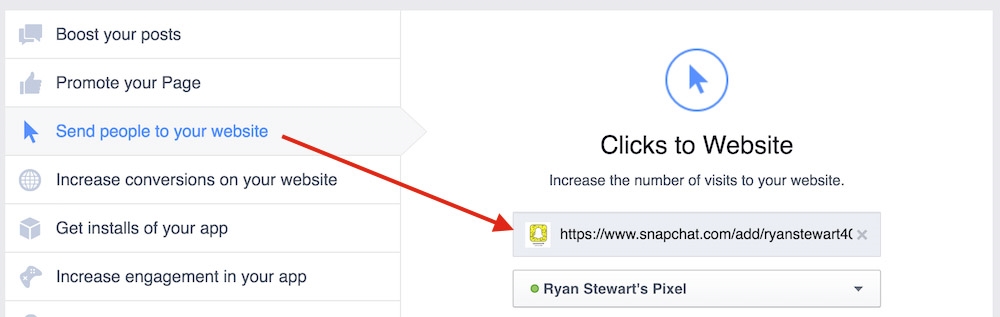
3. Define your audience, budget and schedule
In this section we’ll talk about how to setup the right targeting with your ads.
Custom Audiences:
- I always start by promoting content to “warm” audiences. This includes people who like my Facebook page and retargeting people who have visited my website.
- If you don’t have a large enough audience, read on.
Locations:
- Wherever your business is located, target those locations.
- I like to start with country targeting and adjust down to city or zip code based on ad performance.
Age:
- SnapChat skews very young – target accordingly.

Detailed Targeting:
- If you don’t have custom audiences setup, you’ll need to target cold traffic.
- I’m currently running ads to cold traffic and it’s killing it – I’m not going to give you my exact targeting because I don’t want to crowd my space.
- Use Facebook Audience insights to dig into who you could target – look at the pages they like and influencers they follow.
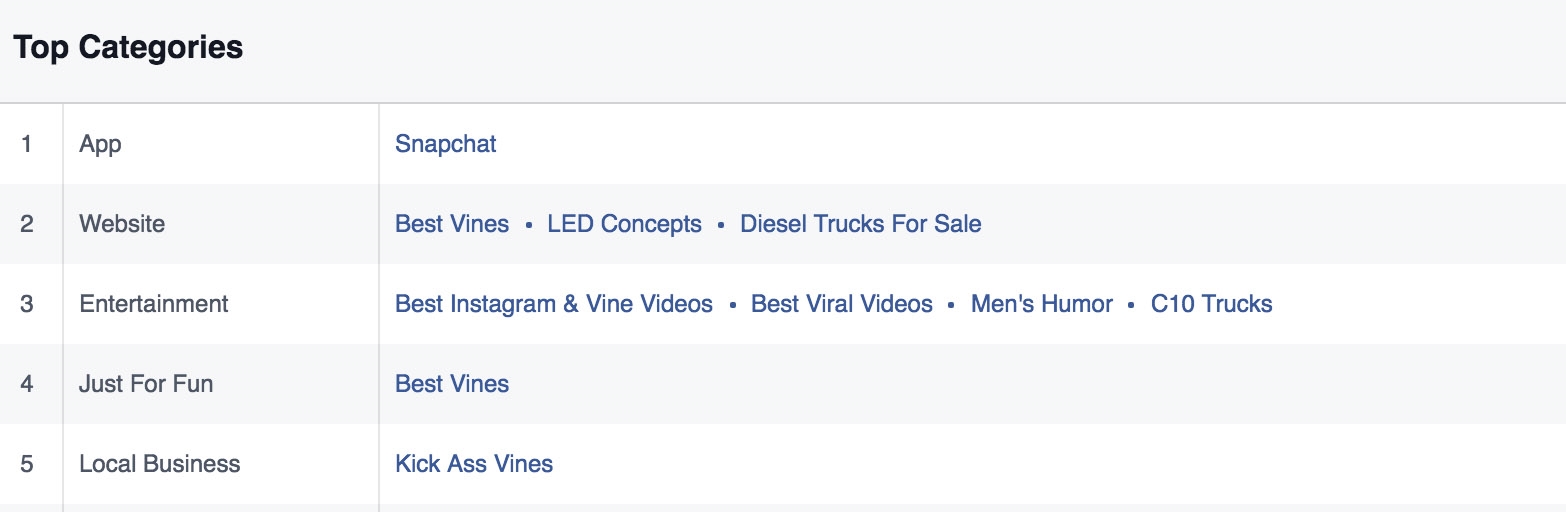
- Once you’ve found some audience combinations, enter them into the detailed targeting field (expert tip: narrow your audience by including additional interests, demographics or behaviors)
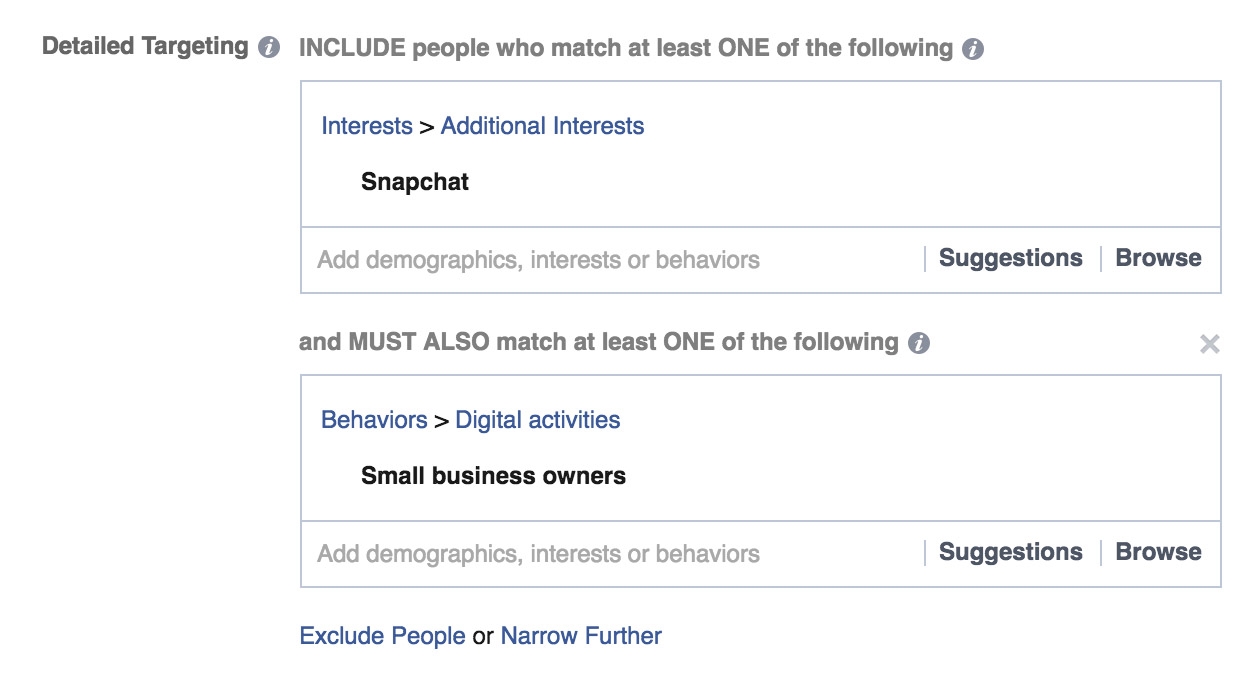
Budget:
- I like to run my ad sets for $ 5 a day until I’ve dialed into an audience that works – then I open the flood gates.
We’re ready to move on to the next step.

4. Select media, text and links to create one or multiple ads
It’s no secret that video out performs text and image ads, so that’s what I went with.
I simply cut up a few videos of myself in iMovie, layered on text and a track.
The call to action of the ad is to watch me grow a business live on SnapChat (my new baby, Laces Out)
Here’s what the final video looks like:
If you’re a good copywriter, feel free to go with text/image ads.
5. Setting up Mobile News Feed Ads
The link we’re promoting only works on mobile devices.
That means we only want to promote it on Mobile News Feed and Instagram ads. I like to split these into 2 separate Ad Groups for better tracking purposes.
Let’s start by creating the Facebook Mobile News Feed ad:
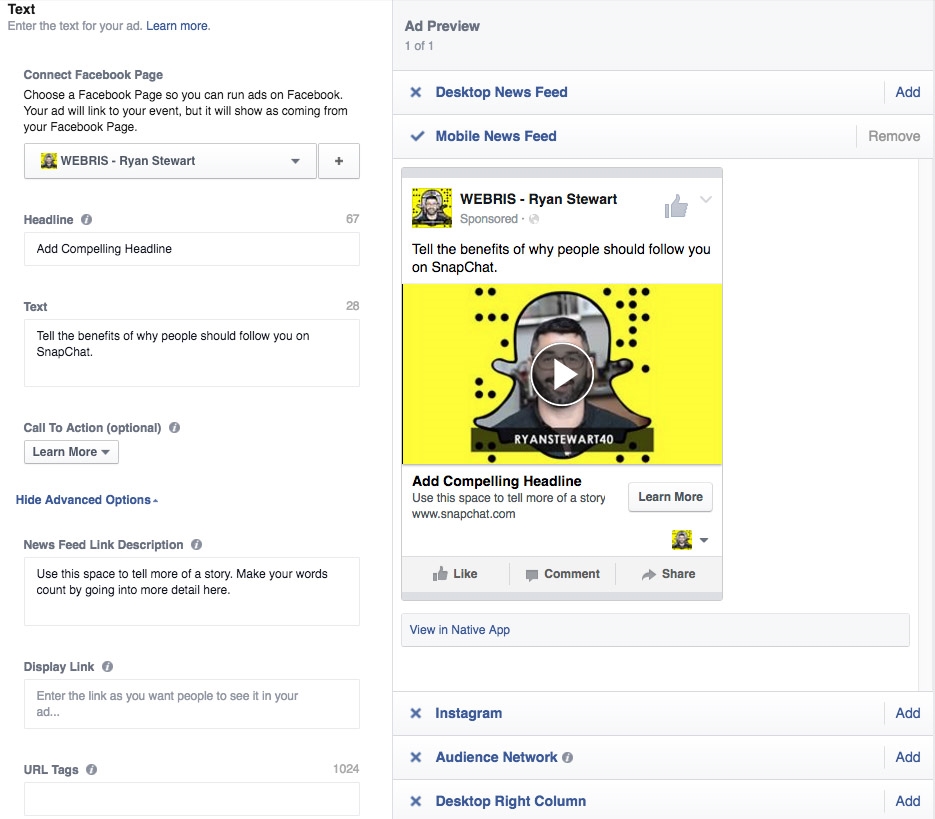
Write out the copy and submit for approval.
6. Adjusting mobile device types
From the campaign level editor, select and edit the ad you just created.

We want to adjust the device types the ad shows on to only include newer model phones.
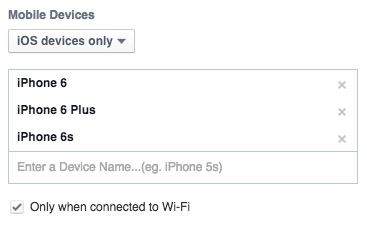
Deep linking to an app takes a few seconds to load – the longer we make a user wait, the less chance of conversion we have. Focus your ads on targeting faster devices connected to wifi.
7. Duplicate ad and setup Instagram
Next, we want to duplicate the ad we just created.
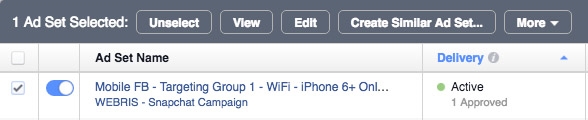
Then, simply edit the copied ad and adjust the targeting to Instagram only.
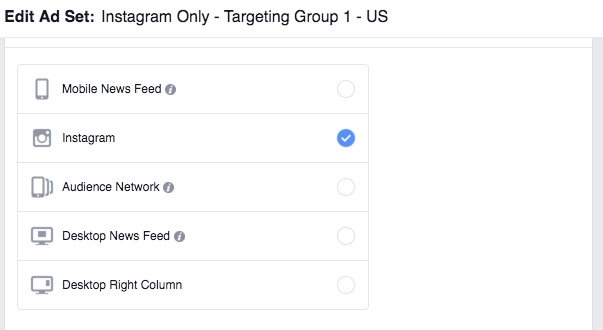
Scaling
Admittedly, I’m doing this on a very small scale. However, you can simply duplicate your campaigns in Power Editor and run dozens of them targeting different audiences.
I strongly suggest you take advantage of this now before this becomes yet another spammed out tactic.
Digital & Social Articles on Business 2 Community
(46)