by Richie Contartesi February 6, 2016 Follow @anabolictech There are plenty of potential mistakes you can make when setting up WordPress, even though the platform is very easy to configure and get running. Fortunately, these WordPress mistakes are easy to learn from, and we’ve got an outline here of the 15 most common blunders to … Continue reading WordPress Mistakes You Should Avoid At All Cost→
Latest version of popular content management system also fixes 17 bugs. Matt McGee on February 2, 2016 WordPress has released version 4.4.2 of its popular content management system and is “strongly” encouraging users to update their websites immediately. Version 4.4.2 fixes two security issues and 17 bugs. The change list indicates that the bug fixes … Continue reading WordPress Releases 4.4.2 To Fix Two Security Issues→
by Richie Contartesi January 25, 2016 Follow @anabolictechJanuary 25, 2016 Having a great landing page with a fantastic Call to Action is the only thing you should worry about when it comes to your design, right? After all, you figure folks will wait around for your page to load so they can buy your fantastic … Continue reading How Do I Speed Up My WordPress Website?→
by Richie Contartesi December 28, 2015 Follow @anabolictechDecember 28, 2015 When you’re on the lookout for a WordPress designer, the temptation can be strong to make a choice that’s as economical as possible. What this often leads to is hiring a designer who is inexperienced or just plain garbage. How can you tell how to … Continue reading 7 Signs Your WordPress Designer Is Garbage→
by Ryan Wilson December 27, 2015 Follow @550mktgDecember 27, 2015 Many modern SEO tools will let you know when your site has duplicate content. For the record, duplicate content is when two different URLs (yourdomain.com/a and yourdomain.com/b) have exactly the same content on them. For example, if we published this blog post, completely unchanged, to … Continue reading How to Remove Duplicate Content from WordPress Sites→
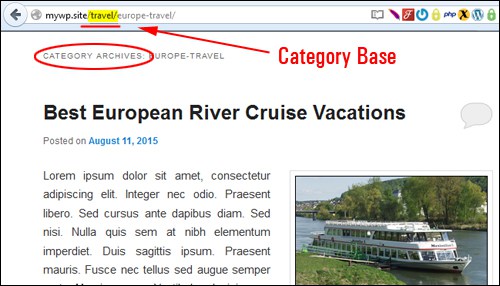
by Renee Shupe December 21, 2015 Follow @reneeshupeDecember 21, 2015 Wouldn’t it be great if you could simply add a new post to your website or blog, and the following took place … all from your web address: Potential site visitors could glean what the post was about, Google would be able to discover your … Continue reading Using Permalinks To Improve Your WordPress SEO→
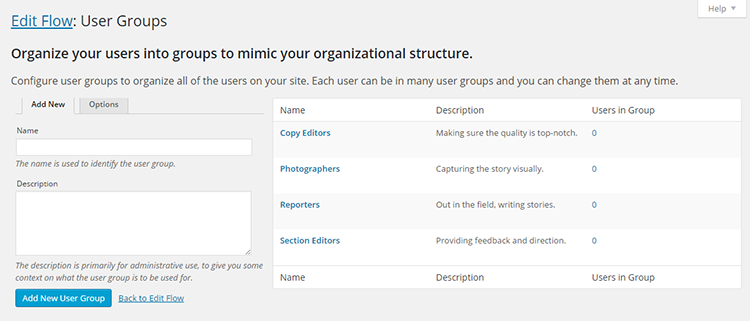
by Vishnu Supreet December 19, 2015December 19, 2015 Publishing content on a multi-author blog is not easy, to say the least. First there is the website owner who sometimes also works as the editor (last person to approve a post before publishing). Then, with bigger websites, there are the editors and sometimes more than one … Continue reading Improve Your Editorial Workflow in Multi-Author WordPress Blogs→
by Richie Contartesi December 15, 2015 Follow @anabolictechDecember 15, 2015 WordPress has achieved a pretty huge amount of market domination, but should small business owners use WordPress? The numbers tell the story: 60.4 percent: the proportion of current websites online built using WordPress-based site builders 23.8 percent: the proportion of current websites online built using … Continue reading Should Small Business Owners Use WordPress?→
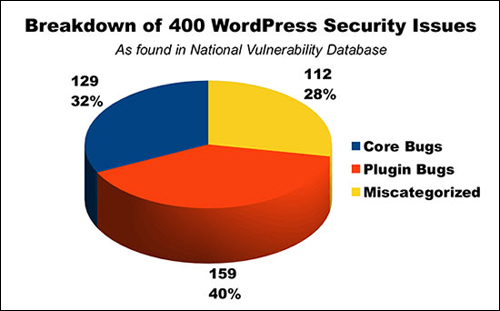
by Renee Shupe December 6, 2015 Follow @reneeshupeDecember 6, 2015 In early 2013 a global brute-force attack hit WordPress installations across almost every host server in existence around the world. These attacks were caused by botnets (infected computer networks programmed to attack other vulnerable sites). (WordPress powers millions of websites and blogs worldwide, which makes … Continue reading How Secure Is WordPress? A Guide for Website Owners→
On March 29, 2008, WordPress 2.5 was released. Of the many changes and improvements in the new version, perhaps the support of so-called shortcodes was one of the most interesting and useful features. Shortcodes were introduced to create macros for use in posts and pages to add bits of predefined functionality into their content. For example, the shortcode
10 Crazy Good Shortcode Collection Plugins For WordPress
in the body of a post or page inserts an image gallery into the post or page.
The introduction of WordPress shortcodes also led plugin developers to create special kinds of content such as forms and content generators that users can add to pages by using the corresponding shortcode into the page text.
So shortcodes are obviously pretty sweet. They are WordPress-specific codes that let you do particularly skillful things with very little effort such as embedding a slideshow presentation or a Twitter timeline that would normally require lots of complicated code. Some popular available shortcodes in WordPress include:
…let you do things like add a blog archive index, contact form, polls and more.
Clearly, WordPress shortcodes can be used to access a number of functionalities for your content from something as simple as changing the color of some text to adding an image gallery that slides across a page. The question is: Where do you get the shortcodes that will let you quickly insert elements you regularly use like FAQs and product catalogues?
Well, for a start, WordPress offers some built-in shortcodes like , , ,
10 Crazy Good Shortcode Collection Plugins For WordPress
, and . Then some shortcodes come bundled with themes. In particular, premium WordPress themes come with all sorts of shortcodes built-in but a problem arises if you ever decide to switch themes.
With 50+ amazing shortcodes, Shortcodes Ultimate is a popular WordPress plugin that you can use to create tabs, buttons, boxes, responsive videos and much more. It also features a shortcode generator that you can use to create your own custom shortcodes while the functionality of the plugin itself can be greatly extended with premium add-ons.
If you want to take your website to the next level and hugely improve it to look more professional, WordPress Shortcodes is an amazing set of great shortcodes with almost 150,000 downloads in the WordPress Plugin Repository. The plugin comes bundled with the full set of elements including SEO-friendly tabs, sections, buttons, lists, layouts and more.
A WordPress plugin that lets you create a custom shortcode and store HTML, Javascript and other snippets in it, Shortcoder is particularly handy when adding ads to your site and embedding media such as videos on posts and pages. The plugin has 10,000+ active installs.
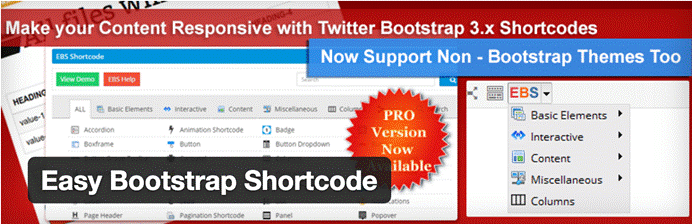
With shortcodes for everything from tabs, lists and progress bars to buttons, icons and image effects, Easy Bootstrap Shortcode lets you add style to your website. In particular, the plugin is desirable for its 500+ Font-Awesome & Glyphicons icon fonts. It is also the simplest bootstrap style plugin ever.
Easy to use with shortcodes from a dropdown menu added to the WordPress content editor, Vision is a premium shortcode plugin, which works seamlessly with every theme. It includes over 100 shortcodes from accordions and tabs to animated features list, buttons, image icons, pricing boxes, social icons and pull quotes. Other standout features of the plugin include great support, documentation and an online helpdesk.
Styles With Shortcodes is a premium WordPress plugin that features a wide range of awesome built-in shortcodes to expand the functionality of your site including different HTML and JS elements. In particular, the plugin is useful to add some custom styling to the different elements of your WordPress site without any knowledge of coding. Notable shortcodes include buttons for social media, pullquotes, colored boxes and maps.
Developed to help users create custom shortcodes from inside WordPress, Shortcodes Pro allows quick and easy creation of WordPress shortcodes and TinyMCE rich editor buttons. The plugin is free and simple to use and has over 4000 active installs.
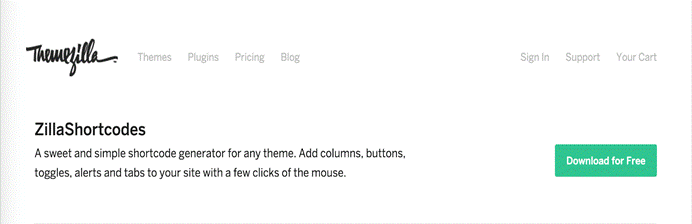
A simple shortcode generator that you can use with any theme, ZillaShortcodes is a useful plugin to add extra functionalities to your website. It features a fine array of gorgeous shortcodes including columns, buttons, toggles and tabs with the click of a button. Simply choose the functionality you wish to include, configure the options and insert.
Next up, with tons of shortcodes to choose from, Intense WordPress Site Builder allows you to build modern layouts and create beautiful pages like the pros with little effort. Notable shortcodes include Animated, Gallery, Icon, Content Box and Content Section. For more information on each shortcode and their functionality, follow this link.
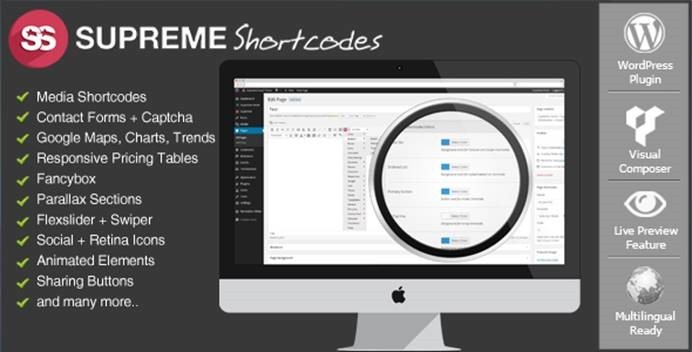
And finally, Supreme Shortcodes is a WordPress plugin that includes many useful and beautiful shortcodes that make your content creation easier. Notable examples include contact forms, tabs, toggles, Google maps, lists, styled tables and call-to-action buttons. In fact, the plugin adds over 100 extra functionalities to your website.
This article is a work of Sameer Panjwani, founder of Mondovo, an all-in-one digital marketing toolset for all your SEO, Social and Analytics requirements.